Glass Marble Garden
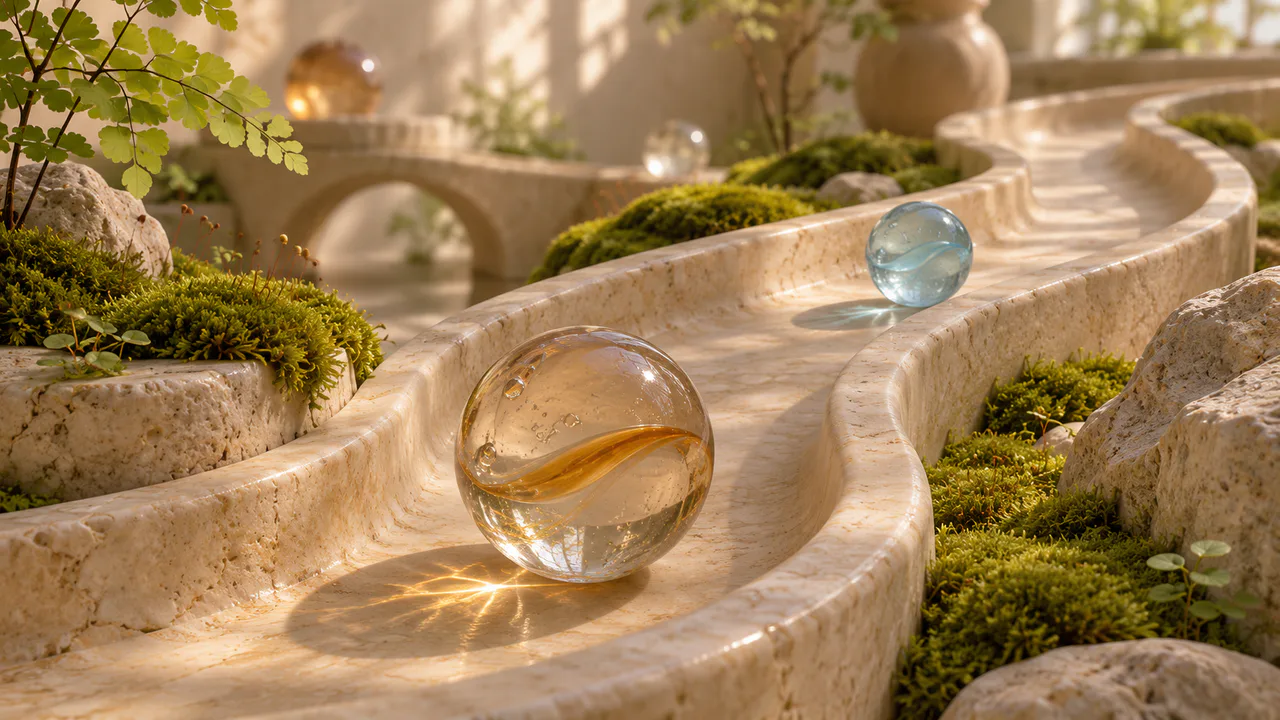
A small stone garden, a curving channel, an amber swirl marble and a pale blue one. Roll them along the stone and let them meet.
Rolling glass
The marbles roll along the stone when you move them, and now and then on their own; nothing else moves. Nothing flashes. Sound plays only if you start with it.
What you can do here
- Roll a marble
- Drag either marble along the channel and let go. It rolls on, climbs the stone’s gentle rise, slows, and rolls back to settle in the low spot it started from. Push it toward a wall and it rides partway up the curve and rocks back down. It gets smaller as it rolls away from you and bigger as it comes back, and its shadow and the bright spot of light it throws go with it.
- Let them meet
- Send one into the other, or press Roll them together. They knock with a soft click, the one that was hit rolls on, and the other slows; then each rolls back into its own dip. Hit hard enough and both can end up in one dip, resting against each other.
- Watch the swirl
- As a marble rolls, the swirl inside it turns over, one full turn for every time the marble rolls its own circumference. The garden you see through the clear glass and the bright reflections of the window stay where they are, the way they do on real glass.
- Leave it be
- Activity sets how often a marble shifts a little on its own. All the way down, they stay exactly where you leave them.
Use it as your wallpaper
Press F for fullscreen and M to turn the sound off and on; the volume and your sound choice carry over to every wallpaper. The sound keeps playing if you switch to another tab.
Live link
https://whitescreen.tv/interactive-wallpapers/glass-marble-garden/#wallpaper- On a computer desktop
- Some wallpaper apps can show a web page behind your desktop icons. Give one the live link above and the scene runs there on its own: no page around it, no ads and no sound.
- On a TV or a spare screen
- Open this page and press F, or use Fullscreen. While it’s in fullscreen we ask the browser to keep the screen from going to sleep.
- On a phone or tablet
- Save image downloads exactly what’s on the screen as a picture. Set it as your wallpaper from your photos; the phone will crop the sides.
A live wallpaper keeps a page running all day. Through the live link the scene draws at most 30 frames a second and stops while the screen is covered, but on a laptop it still costs some battery.
Why a rolling marble looks the way it does
A marble that rolls without sliding turns through one full circle for every distance equal to its circumference, so its insides always move at the same pace as the marble itself. The highlights are different: they are reflections of the light, and they stay put on the glass while the marble turns beneath them. The bright spot on the stone is the marble acting as a lens, focusing sunlight into a small, hot point inside its shadow.
Why they always come to rest in the same places
The channel isn’t quite level. Between the two marbles the stone rises by about half a millimeter, too little to see, and under each marble it dips. Rolling resistance can hold a marble still only where the stone is almost flat, so wherever you leave one, it rolls on until it finds the bottom of a dip.
About the sounds
Two recordings: glass rolling over stone, which rises and falls with how fast the marbles move, and a single soft click when they meet. The click waits four seconds between plays, so a rattle of small knocks never turns into a clatter.
If you’d rather just watch
Picture and sounds generated from our prompts. Motion, controls and mix by WhiteScreen.tv.
