Model Train Under the Christmas Tree
A loop of track around the foot of a Christmas tree, a few presents in brown paper, and a little black 2-6-0 with its tender. It rolls along the front of the loop, stops, and comes back.
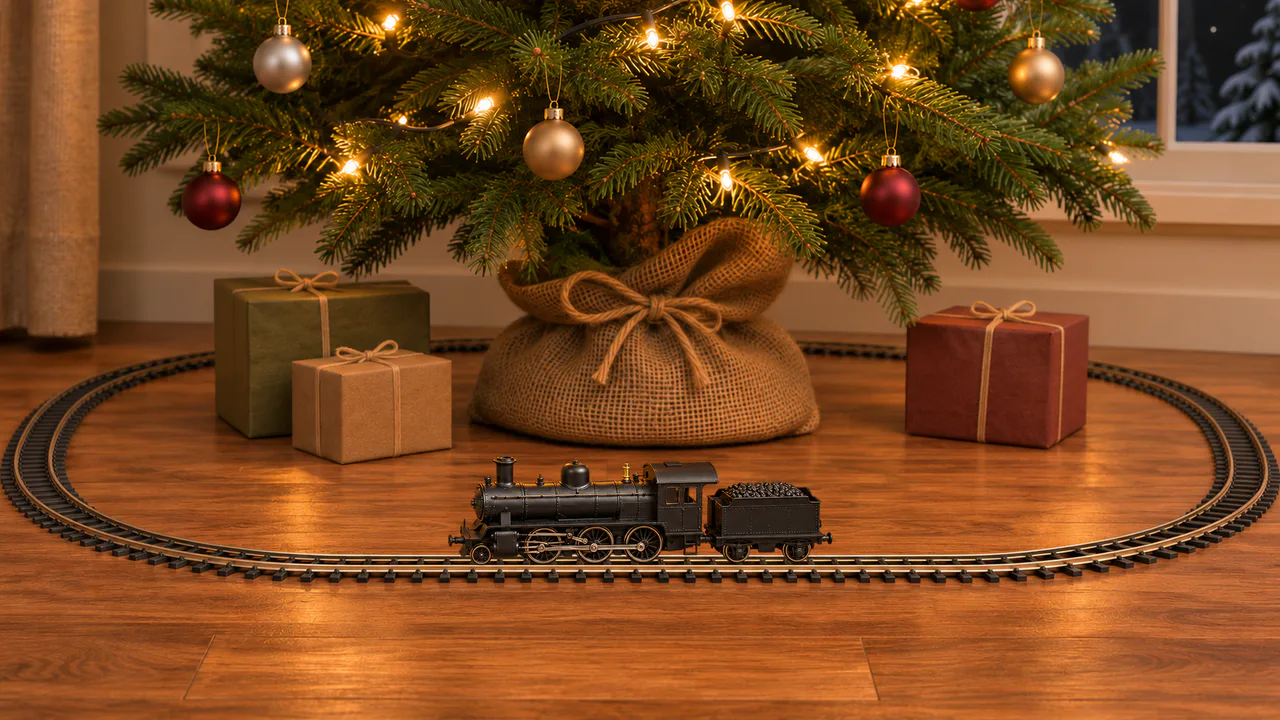
A slow toy train
The train rolls slowly back and forth and small puffs of smoke rise from its stack. The tree lights stay steady. Nothing flashes. Sound plays only if you start with it.
Christmas music
The Twelve Days of Christmas
Toy Orchestra
Carols
Written for these scenes
Play all and Shuffle go through the ticked tracks.
This scene’s pick: The Twelve Days of Christmas — Toy Orchestra
What you can do here
- Stop and start it
- Untick Running, or press the space bar, and the train eases to a stop wherever it is. Tick it again and it sets off. Like a real engine, it takes a couple of seconds to get going and to stop.
- Let off steam
- Tap the engine, or press Let off steam, and a cloud of steam rises from the stack. It needs eight seconds before it can blow again.
- Pick a speed
- Speed switches between a crawl and a steady run about twice as fast. The smoke keeps time with the wheels: four puffs for every turn of the big driving wheels, the way a two-cylinder engine exhausts.
- Put on some music
- Music plays apart from the scene’s own sound, with its own volume, so you can have either, both or neither. It starts on this scene’s pick and repeats it; open the list to choose another, play them all in order, or shuffle the ones you tick. There are fifteen, all instrumental: twelve carols, from Jingle Bells to O Holy Night, and three pieces written for these scenes. Music only starts when you start it.
Use it as your wallpaper
Press F for fullscreen and M to turn the sound off and on; the volume and your sound choice carry over to every wallpaper. The sound keeps playing if you switch to another tab.
Live link
https://whitescreen.tv/interactive-wallpapers/christmas-model-train/#wallpaper- On a computer desktop
- Some wallpaper apps can show a web page behind your desktop icons. Give one the live link above and the scene runs there on its own: no page around it, no ads and no sound.
- On a TV or a spare screen
- Open this page and press F, or use Fullscreen. While it’s in fullscreen we ask the browser to keep the screen from going to sleep.
- On a phone or tablet
- Save image downloads exactly what’s on the screen as a picture. Set it as your wallpaper from your photos; the phone will crop the sides.
A live wallpaper keeps a page running all day. Through the live link the scene draws at most 30 frames a second and stops while the screen is covered, but on a laptop it still costs some battery.
Why it only runs along the front
This is one photograph, taken from one side, so we can move the train along the straight piece of track in front of the tree but not round the bends, where it would have to turn. It runs to the end of the straight, waits, and comes back. If your screen shows only the middle of the picture, the train stands still rather than run out of sight.
How the wheels and rods move
Every wheel turns exactly as far as the train rolls. The three big driving wheels are tied together by the coupling rod, which rides on pins set off-center near their hubs, so it circles with them while staying level. The main rod runs from the middle wheel’s pin to the crosshead, which slides back and forth between its guide bars: the same slider and crank that turns a piston’s push into a turning wheel on a full-size engine.
About the sounds
Two recordings and a quiet layer: the train rolling on its track, which fades in as it gets going and out as it stops, a short hiss of steam, and the air of a quiet room. No music, and no whistle.
If you’d rather just watch
Picture and sounds generated from our prompts. Motion, controls and mix by WhiteScreen.tv.
