Gingerbread House
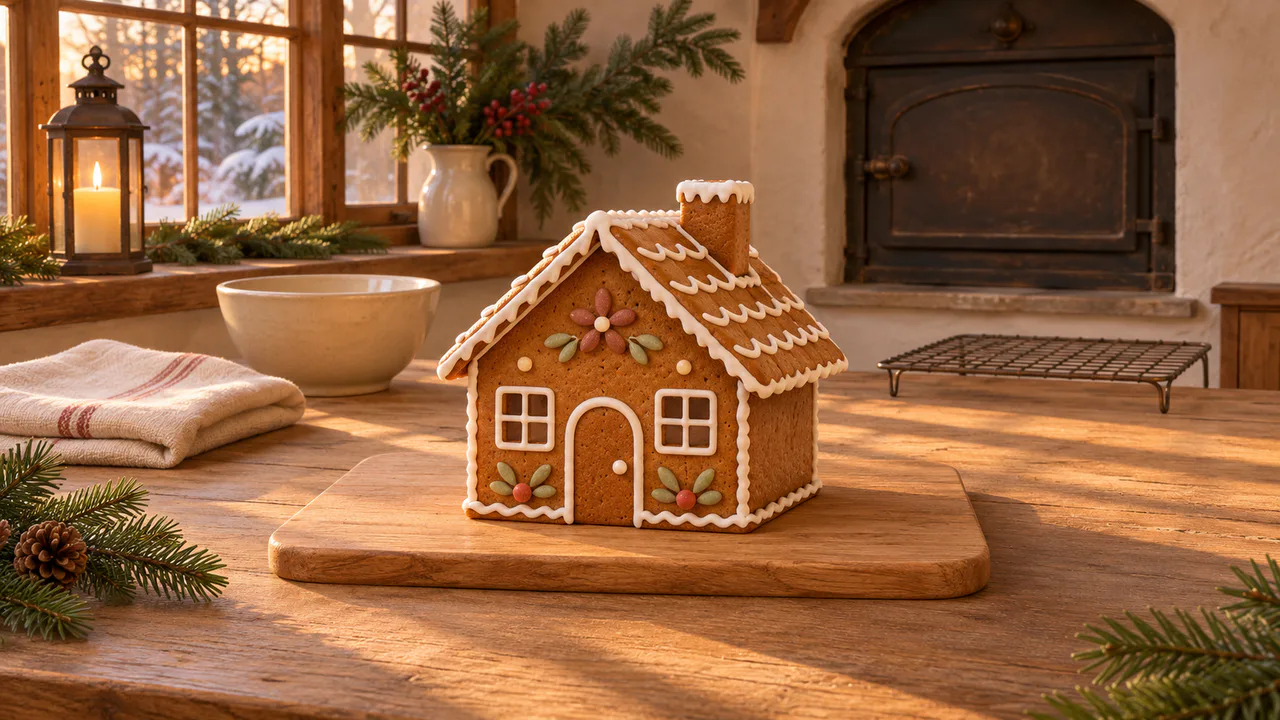
A gingerbread house on a wooden board, a lantern on the windowsill, snow outside and a low sun across the table. Touch the house to dust it with sugar.
Candlelight
Sugar falls when you touch the house and snow drifts past the window. A candle burns in a lantern; its light barely changes. Nothing flashes. Sound plays only if you start with it.
Christmas music
Up on the Housetop
Porchlight Folk Band
Carols
Written for these scenes
Play all and Shuffle go through the ticked tracks.
This scene’s pick: Up on the Housetop — Porchlight Folk Band
What you can do here
- Dust it with sugar
- Touch the house and powdered sugar sifts down over it from a sieve held just above the picture, tapped a few times a second. Keep your finger down and move it to sift along the roof. Each pass leaves a little more, and if you keep going the roof turns white like new snow. Dust with sugar makes one pass over the whole house.
- Start over
- Sugar stays where it lands. Start over clears it all away so you can dust the house again.
- Set the bowl down
- Touch the bowl, the board or the table for the sound of a mixing bowl set down on wood. It waits a few seconds before it will play again.
- Watch the window
- Snow falls outside, as soft and out of focus as the trees behind it. Snow outside sets how much. Dust drifts in the low sun across the room; move the mouse through it and it swirls.
- Put on some music
- Music plays apart from the scene’s own sound, with its own volume, so you can have either, both or neither. It starts on this scene’s pick and repeats it; open the list to choose another, play them all in order, or shuffle the ones you tick. There are fifteen, all instrumental: twelve carols, from Jingle Bells to O Holy Night, and three pieces written for these scenes. Music only starts when you start it.
Use it as your wallpaper
Press F for fullscreen and M to turn the sound off and on; the volume and your sound choice carry over to every wallpaper. The sound keeps playing if you switch to another tab.
Live link
https://whitescreen.tv/interactive-wallpapers/gingerbread-house/#wallpaper- On a computer desktop
- Some wallpaper apps can show a web page behind your desktop icons. Give one the live link above and the scene runs there on its own: no page around it, no ads and no sound.
- On a TV or a spare screen
- Open this page and press F, or use Fullscreen. While it’s in fullscreen we ask the browser to keep the screen from going to sleep.
- On a phone or tablet
- Save image downloads exactly what’s on the screen as a picture. Set it as your wallpaper from your photos; the phone will crop the sides.
A live wallpaper keeps a page running all day. Through the live link the scene draws at most 30 frames a second and stops while the screen is covered, but on a laptop it still costs some battery.
Why sugar looks like snow
Powdered sugar is ground very fine, with a little cornstarch mixed in so it doesn't cake. Shaken through a sieve, the bigger grains fall a few inches a second and the finest hang in the air a while, so a dusting builds grain by grain: a speckle first, then a white coat on everything that faces up. The walls stay brown and the roof goes white, which is why a dusted gingerbread house looks snowed on. Here each grain lands on what is under it, and the sugar stays until you clear it.
About the sounds
Two recordings and one quiet layer: a kitchen in the late afternoon, a ceramic bowl set down on wood, and the air of a still room. Sifting sugar makes almost no sound, so here it makes none.
If you’d rather just watch
Picture and sounds generated from our prompts. Motion, controls and mix by WhiteScreen.tv.
