Quiet Server Vault
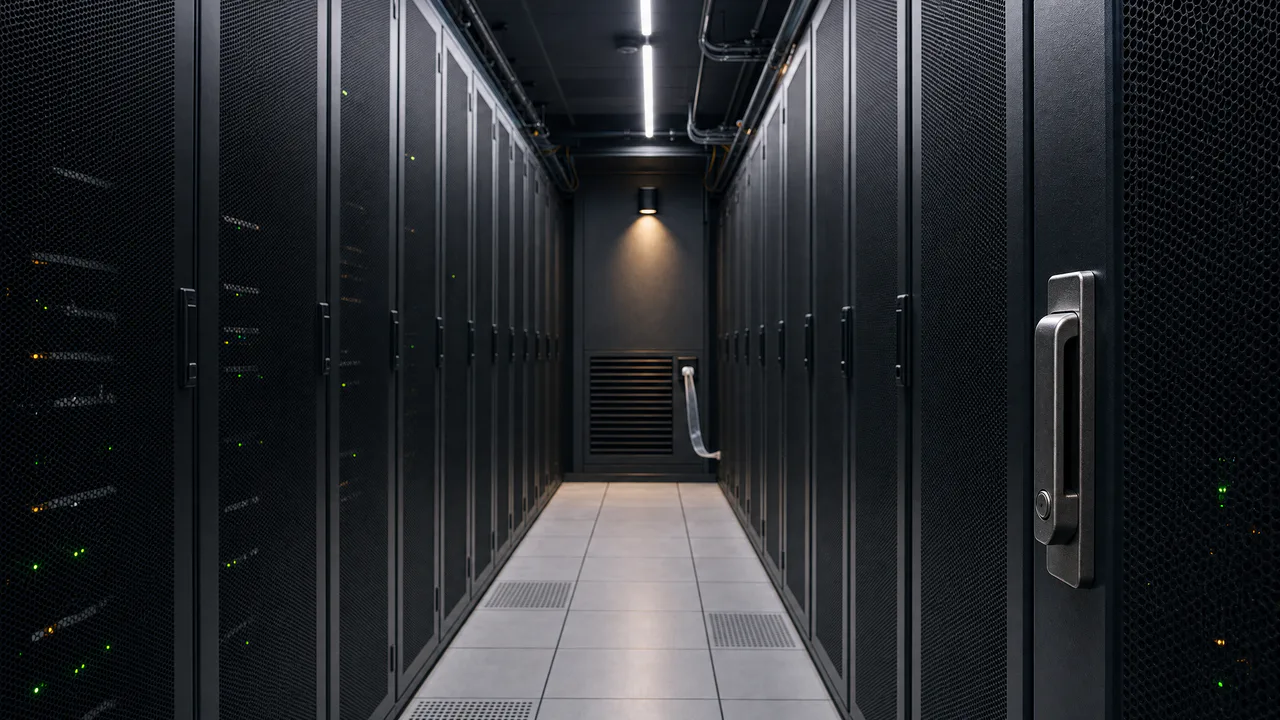
A clean aisle between two rows of dark server cabinets, a ribbon stirring by the vent, and a few small lights keeping watch.
Small blinking lights
Now and then a small status light fades out and back, slowly, never two at the same moment, and a ribbon stirs in the airflow. Nothing flashes. Sound plays only if you start with it.
What you can do here
- Turn up the airflow
- Airflow raises the fans and pushes the ribbon by the vent farther out. Gusts sway it, and a small flutter runs down it, more as the air speeds up.
- Watch the lights
- Activity sets how often a green status light fades out and back. Each one takes a second and a half to dip, waits a few seconds before it can go again, and no more than three dip at once. The amber lights stay on.
- Look down the aisle
- Move the pointer and your eye moves a little with it: the cabinets nearest you shift the most and the far wall barely at all, as they would if you took a small step.
- Try the latch
- Tap the latch on the cabinet at the right for its click and a cool glint along the metal. It waits four seconds before it clicks again.
Use it as your wallpaper
Press F for fullscreen and M to turn the sound off and on; the volume and your sound choice carry over to every wallpaper. The sound keeps playing if you switch to another tab.
Live link
https://whitescreen.tv/interactive-wallpapers/quiet-server-vault/#wallpaper- On a computer desktop
- Some wallpaper apps can show a web page behind your desktop icons. Give one the live link above and the scene runs there on its own: no page around it, no ads and no sound.
- On a TV or a spare screen
- Open this page and press F, or use Fullscreen. While it’s in fullscreen we ask the browser to keep the screen from going to sleep.
- On a phone or tablet
- Save image downloads exactly what’s on the screen as a picture. Set it as your wallpaper from your photos; the phone will crop the sides.
A live wallpaper keeps a page running all day. Through the live link the scene draws at most 30 frames a second and stops while the screen is covered, but on a laptop it still costs some battery.
Why the doors are mesh
Servers pull cool air in through their fronts and push hot air out the back. In most data centers the cabinets in two rows face each other across a cold aisle like this one, with perforated doors to let the cool air through, while their backs share a hot aisle behind the walls. The ribbon on the vent is an old facilities trick: a strip of plastic that shows at a glance whether air is moving.
Why the lights don’t flicker here
On real servers the activity lights flicker many times a second as disks and network ports work. A wall of that would be tiring to look at, so here each light only dips slowly now and then, the way a status light changes when a machine finishes one job and starts the next.
About the sounds
Two recordings: the filtered rush of the cabinets’ fans, which rises with Airflow, and the click of a cabinet latch. Many people find a steady fan sound like this a good background for work or sleep.
If you’d rather just watch
Picture and sounds generated from our prompts. Motion, controls and mix by WhiteScreen.tv.
