Christmas Main Street
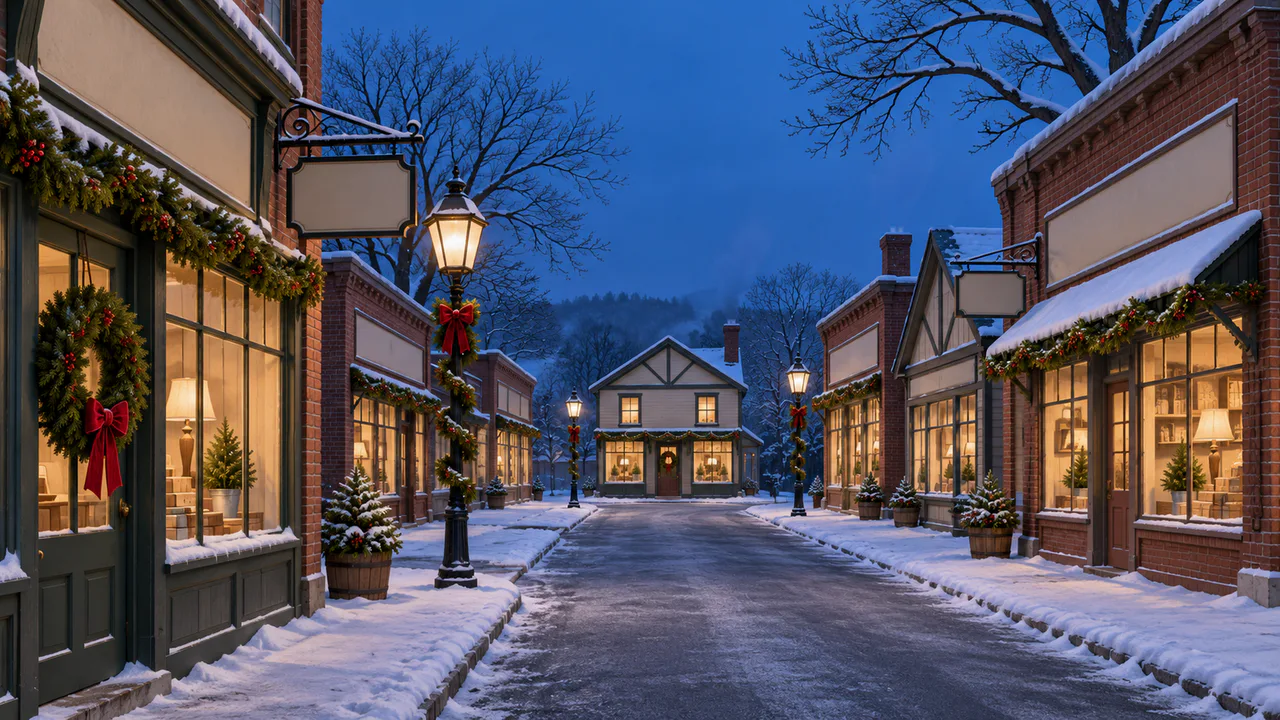
Brick shop fronts with garlands and lit windows, a lamp post wrapped in greenery, and snow coming down the length of the street. Ring the bells, raise the wind, or just watch it fall.
Falling snow
Snow falls through the street at every distance and smoke drifts from two chimneys. The lamps and windows stay steady; nothing flashes. Sound plays only if you start with it.
Christmas music
Jingle Bells
Village Sleigh Ride
Carols
Written for these scenes
Play all and Shuffle go through the ticked tracks.
This scene’s pick: Jingle Bells — Village Sleigh Ride
What you can do here
- Ring the bells
- Tap the street, or press Sleigh bells, and you hear a sleigh go by a few streets over. You won’t see it. The bells need twelve seconds before they’ll ring again.
- Make it snow
- Snowfall runs from a few flurries to a heavy fall. Watch the lamp posts: flakes brighten and warm only where they pass close to a lamp or a shop window, the way they do on a real street.
- Raise the wind
- Wind leans the snow, lays the chimney smoke over and carries it along the rooftops, and swings the ribbons on the bows. It comes in gusts, not as a steady push.
- Flick a bow
- Tap the red bow on the near lamp post, or the one on the wreath by the door at the far left. Its tails swing out and settle. The door wreath is out of the wind, so it moves less.
- Put on some music
- Music plays apart from the scene’s own sound, with its own volume, so you can have either, both or neither. It starts on this scene’s pick and repeats it; open the list to choose another, play them all in order, or shuffle the ones you tick. There are fifteen, all instrumental: twelve carols, from Jingle Bells to O Holy Night, and three pieces written for these scenes. Music only starts when you start it.
Use it as your wallpaper
Press F for fullscreen and M to turn the sound off and on; the volume and your sound choice carry over to every wallpaper. The sound keeps playing if you switch to another tab.
Live link
https://whitescreen.tv/interactive-wallpapers/christmas-main-street/#wallpaper- On a computer desktop
- Some wallpaper apps can show a web page behind your desktop icons. Give one the live link above and the scene runs there on its own: no page around it, no ads and no sound.
- On a TV or a spare screen
- Open this page and press F, or use Fullscreen. While it’s in fullscreen we ask the browser to keep the screen from going to sleep.
- On a phone or tablet
- Save image downloads exactly what’s on the screen as a picture. Set it as your wallpaper from your photos; the phone will crop the sides.
A live wallpaper keeps a page running all day. Through the live link the scene draws at most 30 frames a second and stops while the screen is covered, but on a laptop it still costs some battery.
Why the snow is gold by the lamps
A snowflake makes no light of its own; you see it by whatever lights it. Every flake here has a place in the street, a few meters or fifty meters from you, and is lit by the lamps and windows near that place. So a flake drifting past the lantern on the corner flares warm for a moment, and the same flake out in the middle of the street is just blue-gray in the evening light. The flakes closest to you are big and soft because they’re too near to be in focus.
Sleigh bells
Sleigh bells aren’t shaped like church bells. Each is a hollow metal ball with a slot cut in it and a loose pellet inside, so it rattles and rings whichever way it’s shaken. Strung on a horse’s harness, they let people hear a sleigh coming on snow, which muffles hooves and runners almost completely.
About the sounds
Two recordings and one quiet layer: a hushed street in falling snow, sleigh bells a long way off, and soft wind. There’s no music.
If you’d rather just watch
Picture and sounds generated from our prompts. Motion, controls and mix by WhiteScreen.tv.
