Christmas Living Room
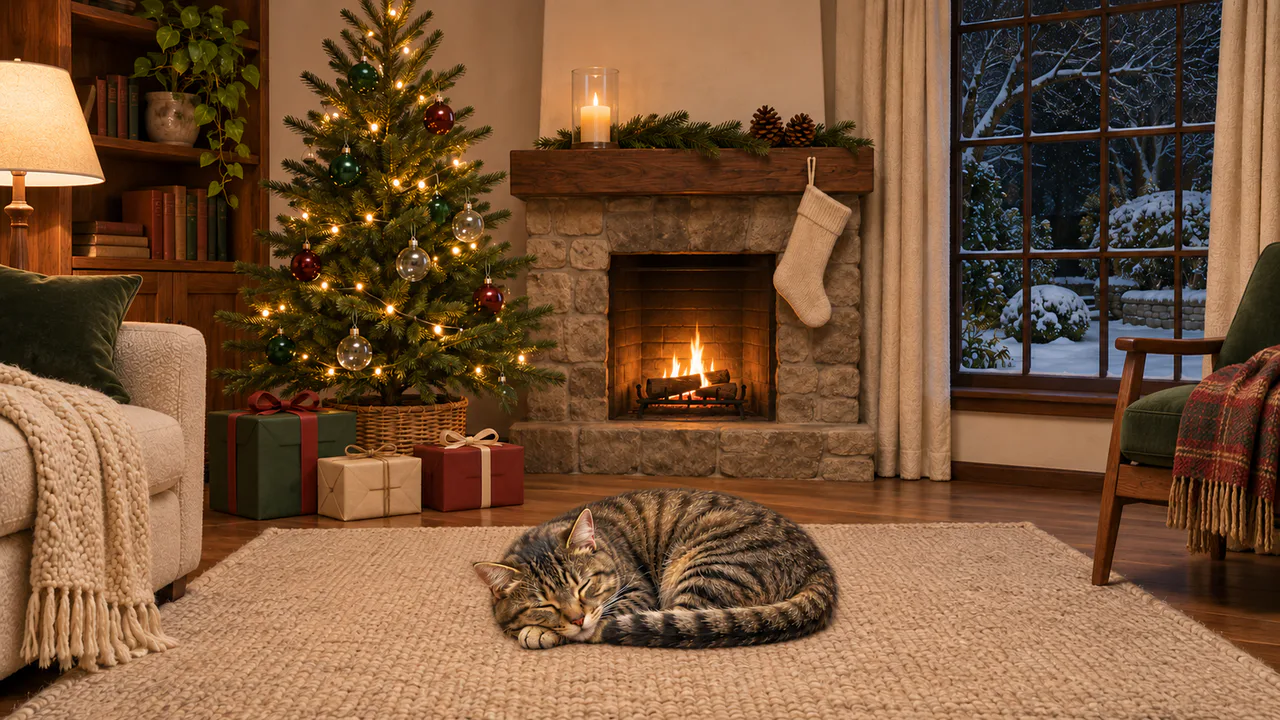
A small living room on a December night: the tree lit, a low fire in the stone hearth, snow coming down in the garden, and a tabby asleep in the middle of the rug.
Firelight
Small flames move in the hearth and the cat breathes slowly. The tree lights stay steady, and the light from the fire changes only a little, and slowly. Nothing flashes. Sound plays only if you start with it.
Christmas music
Away in a Manger / Silent Night
Hearthside Lullabies
Carols
Written for these scenes
Play all and Shuffle go through the ticked tracks.
This scene’s pick: Away in a Manger / Silent Night — Hearthside Lullabies
What you can do here
- Nudge an ornament
- Tap any ornament on the tree, or press Nudge an ornament for the low red one by the gifts. It swings on its hanger, settles within a few seconds and gives one small glass clink. The clink waits six seconds before it will sound again.
- Rustle a gift
- Tap one of the wrapped gifts under the tree. Its bow gives a little and settles, and you hear the paper. Nobody opens anything.
- Let the cat sleep
- The cat breathes about 22 times a minute, an ordinary pace for a sleeping cat. Its side lifts and settles while its head stays put. Now and then an ear flicks, and a tap near the cat does the same. It doesn’t wake up.
- Fire and snow
- Fire takes the flames from low to lively, with the sound of the fire rising alongside. Snow sets how much falls in the garden, from nothing to a steady fall.
- Put on some music
- Music plays apart from the scene’s own sound, with its own volume, so you can have either, both or neither. It starts on this scene’s pick and repeats it; open the list to choose another, play them all in order, or shuffle the ones you tick. There are fifteen, all instrumental: twelve carols, from Jingle Bells to O Holy Night, and three pieces written for these scenes. Music only starts when you start it.
Use it as your wallpaper
Press F for fullscreen and M to turn the sound off and on; the volume and your sound choice carry over to every wallpaper. The sound keeps playing if you switch to another tab.
Live link
https://whitescreen.tv/interactive-wallpapers/christmas-living-room/#wallpaper- On a computer desktop
- Some wallpaper apps can show a web page behind your desktop icons. Give one the live link above and the scene runs there on its own: no page around it, no ads and no sound.
- On a TV or a spare screen
- Open this page and press F, or use Fullscreen. While it’s in fullscreen we ask the browser to keep the screen from going to sleep.
- On a phone or tablet
- Save image downloads exactly what’s on the screen as a picture. Set it as your wallpaper from your photos; the phone will crop the sides.
A live wallpaper keeps a page running all day. Through the live link the scene draws at most 30 frames a second and stops while the screen is covered, but on a laptop it still costs some battery.
How the cat breathes
This picture came with two extra layers: the room without the cat, and the cat on its own. That lets the cat be redrawn on every frame without dragging the rug along with it. Each breath lifts its flank a few pixels away from the spot where it lies, most over the ribs and hardly at all near the head. No two breaths are quite the same length, and every minute or so one goes deeper, the way a sleeping animal sighs.
Why the tree lights don’t blink
Blinking lights are hard to sit with for long, so these stay exactly as they were photographed. The only light that moves is the fire’s, which changes the brightness of the walls and floor by about one percent, slower than once a second. The flames themselves move freely inside the hearth.
About the sounds
Three recordings and one quiet layer: a low wood fire, one glass ornament touching another, gift paper being handled, and the air of a quiet room. No music and no sleigh bells.
If you’d rather just watch
Picture and sounds generated from our prompts. Motion, controls and mix by WhiteScreen.tv.
