Apple Cider Press
A small wooden cider press stands in a farm room in October, apples in baskets around it and the orchard right outside the window. Juice drips from its spout into a stoneware basin.
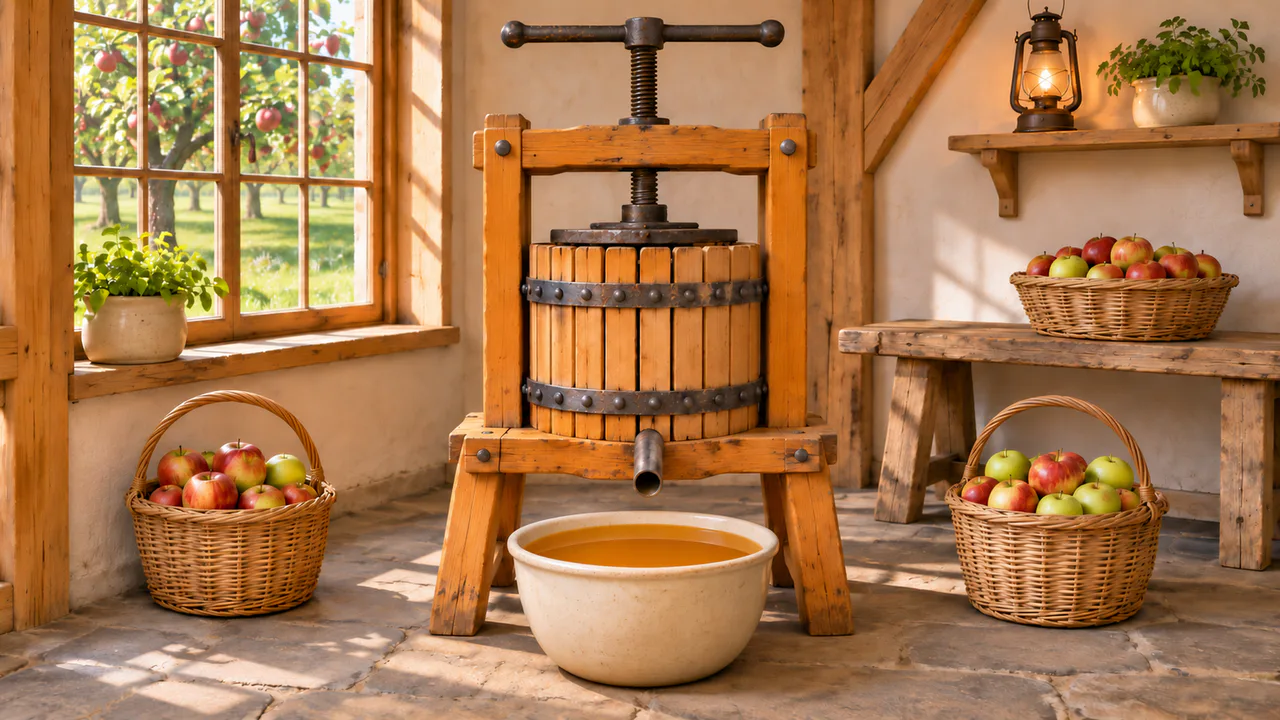
A slowly turning press
Every half minute or so the handle turns half a turn, which takes about six seconds, and juice drips from the spout into the basin. Nothing flashes. Sound plays only if you start with it.
What you can do here
- Turn the handle
- Grab one of the knobs and drag it sideways: it swings round the screw and follows your finger. Clockwise, with the right-hand knob coming toward you, the press tightens; the other way, it eases off. The arms are drawn in the room’s own perspective, so as one swings toward you it rises a little and passes in front of the hub, and the other goes round behind the screw. Turn the handle or T gives it a quarter turn for you.
- Watch the juice
- Each time the press tightens it squeezes the apples harder, and the drops come faster for a while before they slow to a steady seep. A drop swells on the lip of the spout until it’s heavy enough to let go, falls in about a tenth of a second, and leaves a ring that runs across the juice in the basin.
- Tap the spout
- Tap the spout and the next drop falls right away, and you hear it land. Tap the juice itself and a small ring spreads from your finger.
- Leave it to itself, or don’t
- With Turns by itself on, the press gets half a turn every forty seconds or so, the way a cider maker works: tighten, then wait for the juice to run. After two full turns it’s eased off and the pressing starts over. Turn it off and the handle stays where you leave it.
Use it as your wallpaper
Press F for fullscreen and M to turn the sound off and on; the volume and your sound choice carry over to every wallpaper. The sound keeps playing if you switch to another tab.
Live link
https://whitescreen.tv/interactive-wallpapers/apple-cider-press/#wallpaper- On a computer desktop
- Some wallpaper apps can show a web page behind your desktop icons. Give one the live link above and the scene runs there on its own: no page around it, no ads and no sound.
- On a TV or a spare screen
- Open this page and press F, or use Fullscreen. While it’s in fullscreen we ask the browser to keep the screen from going to sleep.
- On a phone or tablet
- Save image downloads exactly what’s on the screen as a picture. Set it as your wallpaper from your photos; the phone will crop the sides.
A live wallpaper keeps a page running all day. Through the live link the scene draws at most 30 frames a second and stops while the screen is covered, but on a laptop it still costs some battery.
Why the thread doesn’t seem to move
The screw turns in an iron nut fixed in the crossbeam, and each full turn drives it down by one thread, about a quarter of an inch here. Watch the thread itself and it seems to stand still. That’s because the screw slides along its own spiral as it turns, so the spiral is always in the same place. What you see move is the handle at the top and the plate at the bottom, creeping down together. Two full turns take them down about half an inch.
How a press makes cider
The apples are first ground into a coarse mash called pomace and loaded into the slatted basket. The screw drives the plate down onto it, and the juice runs out between the slats into the tray under the basket and out through the spout. You can’t hurry it: you tighten, wait while the juice runs, and tighten again. A bushel of apples gives about three gallons of cider.
About the sounds
Two recordings and one quiet layer: the low hush of the press room with a faint seep of juice, a single drop landing in the basin, and the air of a quiet room. The drop you hear is the one you tap for. The press’s own drops land under the room’s hush, and the tapped one waits six seconds before it can play again.
If you’d rather just watch
Picture and sounds generated from our prompts. Motion, controls and mix by WhiteScreen.tv.
