Sailboat at Anchor
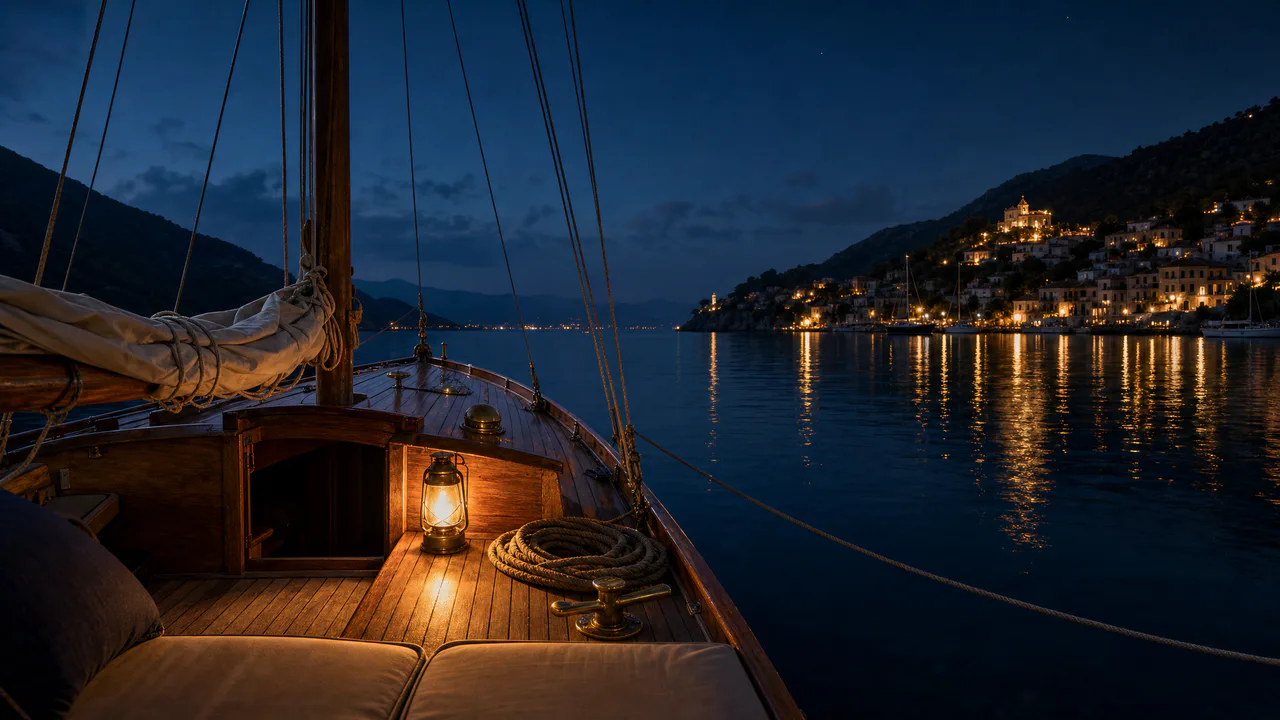
A teak foredeck, a brass lantern, a coiled line, and a hillside town across a sheltered bay at the end of the day.
A gentle rock
You’re aboard, so the boat holds still and the world around it rocks a little: the horizon tilts by at most about a third of a degree and rises and falls with the swell. Turn Swell down to steady it. Light glints on the water, but nothing flashes. Sound plays only if you start with it.
What you can do here
- Feel the swell
- Swell sets how much the boat moves at anchor. Because you’re on board, the boat stays put and the shore does the moving: the horizon tilts a little one way and the other and rises and falls, every five or six seconds, the way it does from a real deck.
- Let the breeze in
- Breeze roughens the water with small ripples. They break each light’s reflection into more and longer glints; with no breeze the reflections settle into tight, steady columns.
- Turn the lantern
- Lantern turns the wick down until the deck goes dark, or up past where it started, so the pool of light spreads across the teak. It changes slowly, as a wick does.
- Touch the mooring line
- Tap the line running out to the right. It lifts and tightens, then settles back toward the water.
Use it as your wallpaper
Press F for fullscreen and M to turn the sound off and on; the volume and your sound choice carry over to every wallpaper. The sound keeps playing if you switch to another tab.
Live link
https://whitescreen.tv/interactive-wallpapers/sailboat-at-anchor/#wallpaper- On a computer desktop
- Some wallpaper apps can show a web page behind your desktop icons. Give one the live link above and the scene runs there on its own: no page around it, no ads and no sound.
- On a TV or a spare screen
- Open this page and press F, or use Fullscreen. While it’s in fullscreen we ask the browser to keep the screen from going to sleep.
- On a phone or tablet
- Save image downloads exactly what’s on the screen as a picture. Set it as your wallpaper from your photos; the phone will crop the sides.
A live wallpaper keeps a page running all day. Through the live link the scene draws at most 30 frames a second and stops while the screen is covered, but on a laptop it still costs some battery.
Why the horizon moves and the boat doesn’t
When you sit aboard, you move with the boat, so to your eyes the boat holds still and everything outside it tilts and bobs. That’s why the mooring line bends here: its end on the bow moves with you, and its end at the mooring out in the bay moves with the water.
About the sounds
Two recordings and one quiet layer: water lapping against the hull, the mooring line settling when you tap it, and a little night wind. The water grows with the Swell slider and the wind with the Breeze slider.
If you’d rather just watch
Picture and sounds generated from our prompts. Motion, controls and mix by WhiteScreen.tv.
