Koi Garden
A jade garden pond, a mossy cascade, a wooden bridge and three koi going about their morning. Touch the water and one of them comes to look.
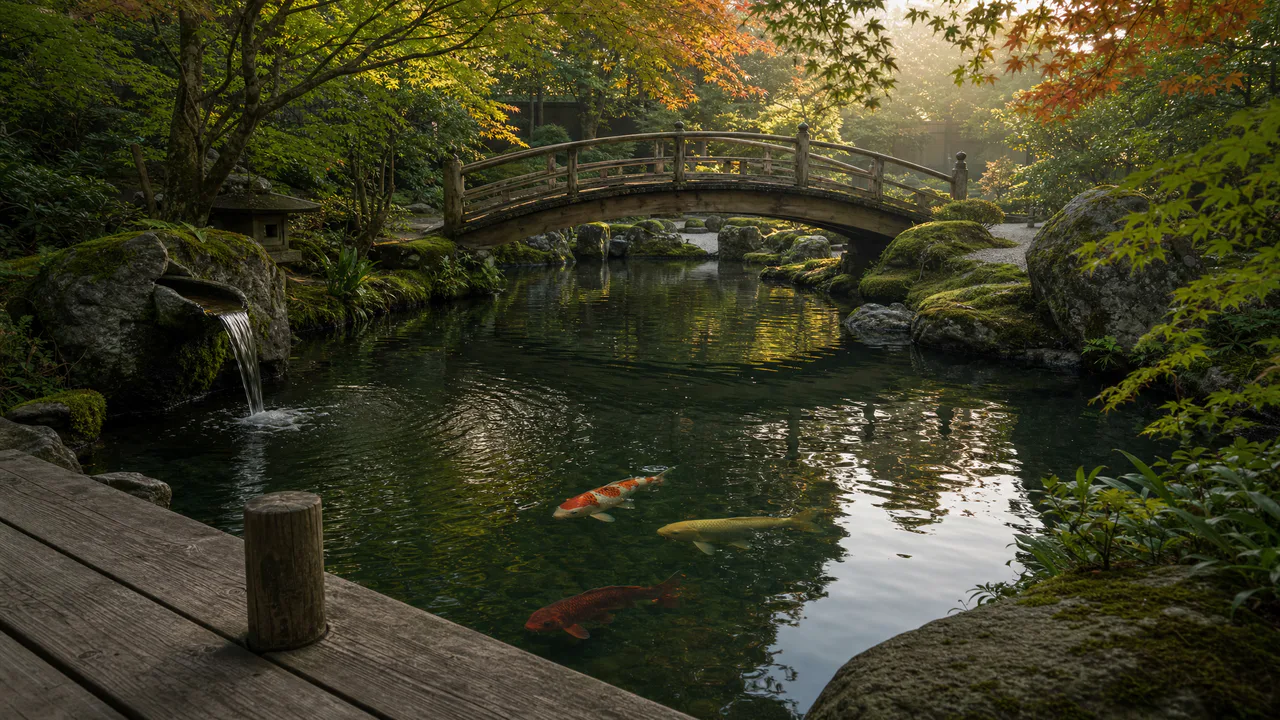
Slow fish, moving water
Three koi swim slowly and the water ripples where the cascade falls and where you touch it. Nothing flashes. Sound plays only if you start with it.
What you can do here
- Call a koi over
- Tap the water. A ring spreads from your finger, and the nearest koi turns, swims over at a koi’s idea of a hurry, and slows down as it arrives. Tap somewhere else and it follows.
- Watch them swim
- Each koi wanders on its own: it bends into its turns, its tail sweeps wider when it speeds up, and it never quite repeats a path. They keep a little room between them and turn back before they reach the bank.
- Turn up the cascade
- Cascade sets how hard the little stream pours off the mossy rock, and how busily the water rings where it lands.
- Let the breeze in
- Breeze roughens the surface with small ripples that blur the koi a little, the way a gust does on a real pond.
Use it as your wallpaper
Press F for fullscreen and M to turn the sound off and on; the volume and your sound choice carry over to every wallpaper. The sound keeps playing if you switch to another tab.
Live link
https://whitescreen.tv/interactive-wallpapers/koi-garden/#wallpaper- On a computer desktop
- Some wallpaper apps can show a web page behind your desktop icons. Give one the live link above and the scene runs there on its own: no page around it, no ads and no sound.
- On a TV or a spare screen
- Open this page and press F, or use Fullscreen. While it’s in fullscreen we ask the browser to keep the screen from going to sleep.
- On a phone or tablet
- Save image downloads exactly what’s on the screen as a picture. Set it as your wallpaper from your photos; the phone will crop the sides.
A live wallpaper keeps a page running all day. Through the live link the scene draws at most 30 frames a second and stops while the screen is covered, but on a laptop it still costs some battery.
How a koi swims
A koi swims like most fish its shape: a wave runs down its body from head to tail, small at the head and widest at the tail, and the tail fin pushes against the water at the end of each sweep. Cruising, a koi beats its tail about once a second; to turn, it bends its whole body into the curve first. That is how these move. You can also see the water bend them: wherever the surface ripples, the fish below shift and wobble, while their shadows drift over the stones.
About the sounds
Two recordings and one quiet layer: the small cascade falling into the pond, one soft ripple when you touch the water, and the open air of the garden. The ripple waits four seconds between plays, so tapping again and again never piles it up.
If you’d rather just watch
Picture and sounds generated from our prompts. Motion, controls and mix by WhiteScreen.tv.
